
Download Chtrbx – Custom GPT Chatbot Builder, Free, Secure, Multilingual
Introduction
In today’s fast‑moving digital landscape, businesses and creators alike are looking for ways to turn static information into interactive experiences without having to hire a full‑stack development team. That’s where Chtrbx steps in—a cloud‑based, no‑code chatbot platform that lets you train a GPT‑powered assistant on your own documents, websites, or data files. Whether you need a customer‑support bot that can answer product questions in several languages, an internal knowledge base for employees, or a conversational front‑end for a mobile app, Chtrbx promises a quick, secure, and scalable solution.
The platform’s core appeal lies in its ability to ingest PDFs, Word files, CSV spreadsheets, and even entire web pages, then automatically fine‑tune a large language model so the bot speaks in the voice of your brand. Security is baked in through AES‑256 encryption and role‑based access controls, while the analytics dashboard provides real‑time insight into usage patterns, satisfaction scores, and response accuracy. Although the service operates on a subscription model with a pay‑per‑message tier for high‑volume users, the free trial gives you enough runway to evaluate whether the AI‑driven interaction model fits your workflow.
This review walks through Chtrbx’s most important aspects—its feature set, installation and usage workflow, system compatibility, pros and cons, and the most common questions users ask—so you can decide if this chatbot builder deserves a spot in your technology stack.
Overview
Chtrbx is a subscription‑based, no‑code AI chatbot builder that empowers businesses and individuals to create personalized GPT‑powered assistants without writing a single line of code. The platform’s core advantage lies in its ability to train a chatbot on your own data—whether it’s PDFs, Word documents, CSV files, or even entire website URLs. Once the files are uploaded, Chtrbx automatically starts the training process using large language models, delivering a chatbot that can answer questions, guide users, and handle support tickets in multiple languages.
The service is designed for quick deployment across websites, mobile apps, or messaging platforms, and it offers an analytics dashboard that tracks usage, satisfaction scores, and response accuracy. Security is baked into the system: all data is stored in encrypted cloud containers, and access controls prevent unauthorized reads. While the tool shines in customization, multilingual capabilities, and continuous improvement, it does come with a subscription price tag, a pay‑per‑message model on higher tiers, and a relatively limited free trial.
Overall, Chtrbx positions itself as the go‑to solution for anyone who needs a smart, data‑driven chatbot without the overhead of traditional development.
Beyond the core training workflow, Chtrbx provides version control, allowing you to roll back to previous bot iterations if a new training run introduces errors. The platform also integrates with popular collaboration tools such as Slack, Microsoft Teams, and WhatsApp, making it easy to embed conversational interfaces directly into the communication channels your team already uses. For developers who need deeper integration, a well‑documented REST API lets you send queries and receive structured responses in JSON format, opening the door to custom front‑ends, voice assistants, or even IoT devices. The combination of a drag‑and‑drop builder, multilingual response handling, and a secure, cloud‑native architecture makes Chtrbx a compelling choice for enterprises seeking to modernize their customer‑service operations while maintaining full control over proprietary data.
Key Features & Capabilities
Chtrbx packs a robust set of capabilities that cater to both non‑technical users and seasoned developers. The platform’s no‑code builder lets you design conversation flows with a visual editor, while the underlying AI engine continuously learns from real‑world interactions. Below is a detailed look at the most impactful features, each of which contributes to a smoother deployment and a richer user experience.
- No‑Code Builder: Drag‑and‑drop interface lets you design conversation flows, set fallback responses, and define intents without coding.
- Personalized Training: Upload PDFs, DOCX, CSV, images, or provide a website link; Chtrbx extracts content and trains the model on your specific knowledge base.
- Multilingual Support: The chatbot can respond in over 20 languages, automatically detecting user language and delivering accurate replies.
- Continuous Learning: As users interact, the system gathers feedback and fine‑tunes the model, improving accuracy over time.
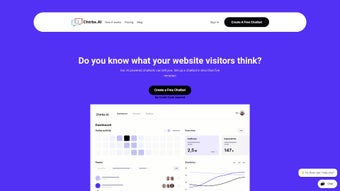
- Analytics Dashboard: Real‑time metrics include session count, average response time, satisfaction rating, and top‑asked questions.
- Secure Data Storage: All uploaded files are encrypted at rest and in transit; role‑based permissions keep data private.
- Cross‑Platform Deployment: Generate embed codes for websites, APIs for mobile apps, or direct integrations with Slack, Microsoft Teams, and WhatsApp.
- Pay‑Per‑Message Scaling: Flexible pricing lets you pay only for the messages you actually send, making it cost‑effective for seasonal spikes.
- Version Control & Rollback: Keep previous chatbot versions and revert if a new training iteration introduces errors.
- Extensive Documentation & Community: Knowledge base, video tutorials, and an active user forum help you get the most out of the platform.
Each feature is designed to reduce friction at different stages of the chatbot lifecycle—from data ingestion and model training to monitoring performance and iterating based on user feedback. The combination of multilingual support and secure, encrypted storage also ensures that you can deploy globally while complying with data‑privacy regulations such as GDPR and CCPA.
Installation, Usage & Compatibility
Getting Started – Simple Registration and Setup
To begin, visit the official Chtrbx website and click the “Start Free Trial” button. The registration process only requires an email address and a password; you can also sign up using Google or Microsoft accounts for faster onboarding. After confirming your email, you’ll land on the dashboard where the “Create New Bot” wizard guides you through the initial setup.
The wizard asks for a bot name, a brief description, and the primary language you expect most users to speak. You can also select a template—such as “Customer Support,” “Product FAQ,” or “Internal Knowledge Base”—which pre‑populates common intents and fallback messages. Once the basic configuration is saved, you move to the data upload stage.
Uploading Data – From Files to Websites
Chtrbx supports a wide range of file formats: PDF, DOCX, TXT, CSV, XLSX, and image files (JPEG, PNG) for OCR extraction. Drag your files into the upload area or click to browse your computer. For web content, simply paste the URL; the platform crawls the site, extracts relevant text, and filters out navigation menus and ads. After the upload, you’ll see a progress bar indicating the extraction and indexing status. The system automatically tags sections (e.g., “Product Features,” “Pricing,” “Return Policy”) which you can later edit or merge.
Once the data is ready, click “Start Training.” The backend spins up a large language model instance, fine‑tunes it on your content, and notifies you via email when the bot is live—usually within 10‑20 minutes for most datasets. For larger corpora, the process may take up to an hour, but you can monitor real‑time logs from the dashboard.
Deploying the Chatbot
When the bot is ready, Chtrbx provides three deployment options:
- Web Widget: Copy a short JavaScript snippet and paste it into the
of any HTML page. The widget is fully responsive and can be customized for colors, positioning, and welcome messages. - REST API: Generate an API key and call the endpoint
https://api.chtrbx.com/v1/chatfrom your mobile or desktop application. The API accepts JSON payloads with user queries and returns structured responses. - Third‑Party Integration: Use pre‑built connectors for Slack, Microsoft Teams, or WhatsApp. Simply authorize the connection, select the bot, and start receiving messages instantly.
Operating System Compatibility
Chtrbx is a cloud‑based SaaS solution, which means you can access the dashboard from any modern browser on Windows, macOS, Linux, iOS, or Android. The web widget works on all major browsers (Chrome, Edge, Firefox, Safari) and adapts to mobile screen sizes. The API is platform‑agnostic, so developers can integrate it into native iOS/Android apps, desktop software, or server‑side applications written in Node.js, Python, Java, or PHP.
Best Practices for Ongoing Success
To keep your chatbot accurate, regularly upload new documents—especially after product launches or policy updates. Use the analytics dashboard to spot high‑frequency queries that lack satisfactory answers; these can be added to the knowledge base manually. Enable the “Feedback” button for end‑users, which feeds directly into the model’s fine‑tuning pipeline. Finally, schedule quarterly reviews of the bot’s performance metrics to adjust pricing tiers if you outgrow the current plan.
Pros, Cons & Frequently Asked Questions
Pros
- Easy no‑code interface lowers the barrier for non‑technical users.
- Personalized training on your own data ensures highly relevant answers.
- Multilingual support expands reach to global audiences.
- Continuous learning improves response quality over time.
- Robust analytics provide actionable insights into chatbot performance.
- Secure, encrypted storage protects proprietary information.
- Cross‑platform deployment options fit any digital ecosystem.
- Version control lets you revert to a stable bot if needed.
- Extensive documentation and an active community reduce onboarding friction.
- Pay‑per‑message scaling keeps costs aligned with usage.
Cons
- Subscription pricing can be steep for small businesses.
- Free trial is limited to a small number of messages and data size.
- Pay‑per‑message model may become costly at high volume.
- Basic plan analytics lack advanced segmentation and export features.
- Training large corpora may take longer during peak usage periods.
- Limited offline mode; the bot requires internet connectivity to function.
- Customization of the UI widget is somewhat constrained compared to fully custom builds.
FAQ
Can I use Chtrbx for internal knowledge bases?
Yes. Chtrbx works equally well for public‑facing support bots and private internal assistants. You can restrict access via API keys or embed the widget on an intranet site that requires authentication.
How secure is my uploaded data?
All files are encrypted at rest using AES‑256 and transmitted over TLS 1.3. Role‑based permissions let you control who on your team can view or edit the data, and Chtrbx complies with GDPR and CCPA standards.
Do I need a developer to integrate the chatbot?
No. The web widget requires only a copy‑paste of a JavaScript snippet. For more advanced integrations, the REST API provides clear documentation, but a developer can add it in minutes if you have custom requirements.
What happens if my subscription ends?
Your chatbot will continue to operate in a read‑only mode for 30 days, allowing you to export data or transition to a new plan. After that period, the bot is deactivated, and stored data is securely deleted unless you renew.
Is there a free version for hobby projects?
Chtrbx offers a limited free tier that allows up to 500 messages per month and a maximum of 10 MB of uploaded data. It’s perfect for testing concepts, but you’ll need to upgrade for production use.
Conclusion & Call to Action
Chtrbx stands out in a crowded AI chatbot market by combining a truly no‑code experience with deep personalization on your own data. The ability to upload PDFs, website URLs, and other file types means the bot can answer questions that generic models often miss. Security measures such as end‑to‑end encryption and granular permission settings give confidence to enterprises that must protect sensitive information. Real‑time analytics and version control further differentiate the platform, offering insight and safety nets that many competitors lack.
Although the subscription and pay‑per‑message pricing structure may appear higher than some “freemium‑only” alternatives, the value delivered—especially for multilingual, regulated‑industry use cases—justifies the cost for organizations that prioritize brand consistency and data sovereignty. If your team is ready to transform static knowledge into engaging, conversational interactions, the free trial provides a risk‑free way to evaluate the platform’s fit. Start building your own AI‑driven assistant today and experience how Chtrbx can streamline support, boost employee productivity, and open new channels for customer engagement.
Start your free trial of Chtrbx now and see how quickly you can launch a multilingual, secure chatbot that speaks directly from your own content.



.png)



